
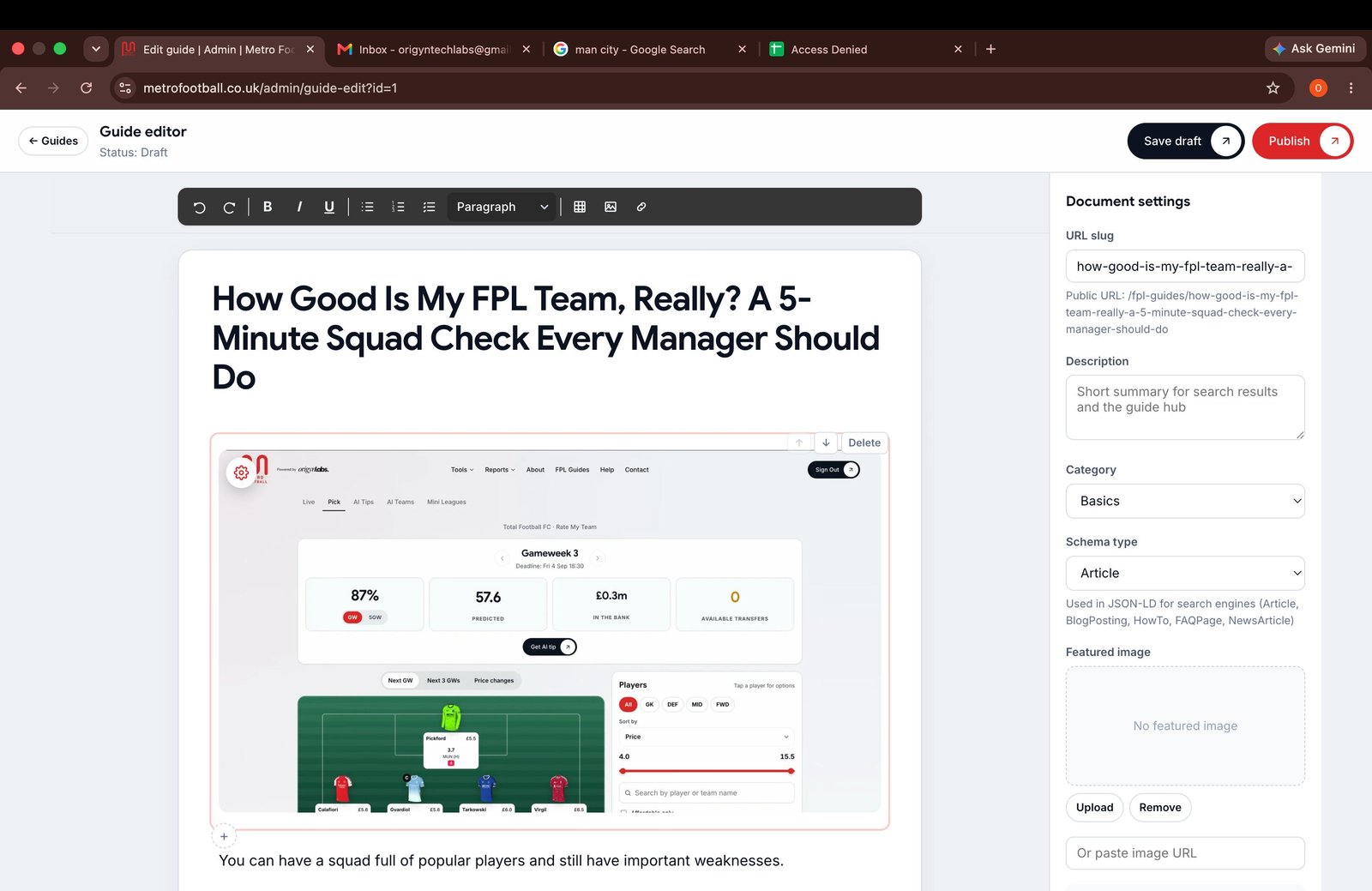
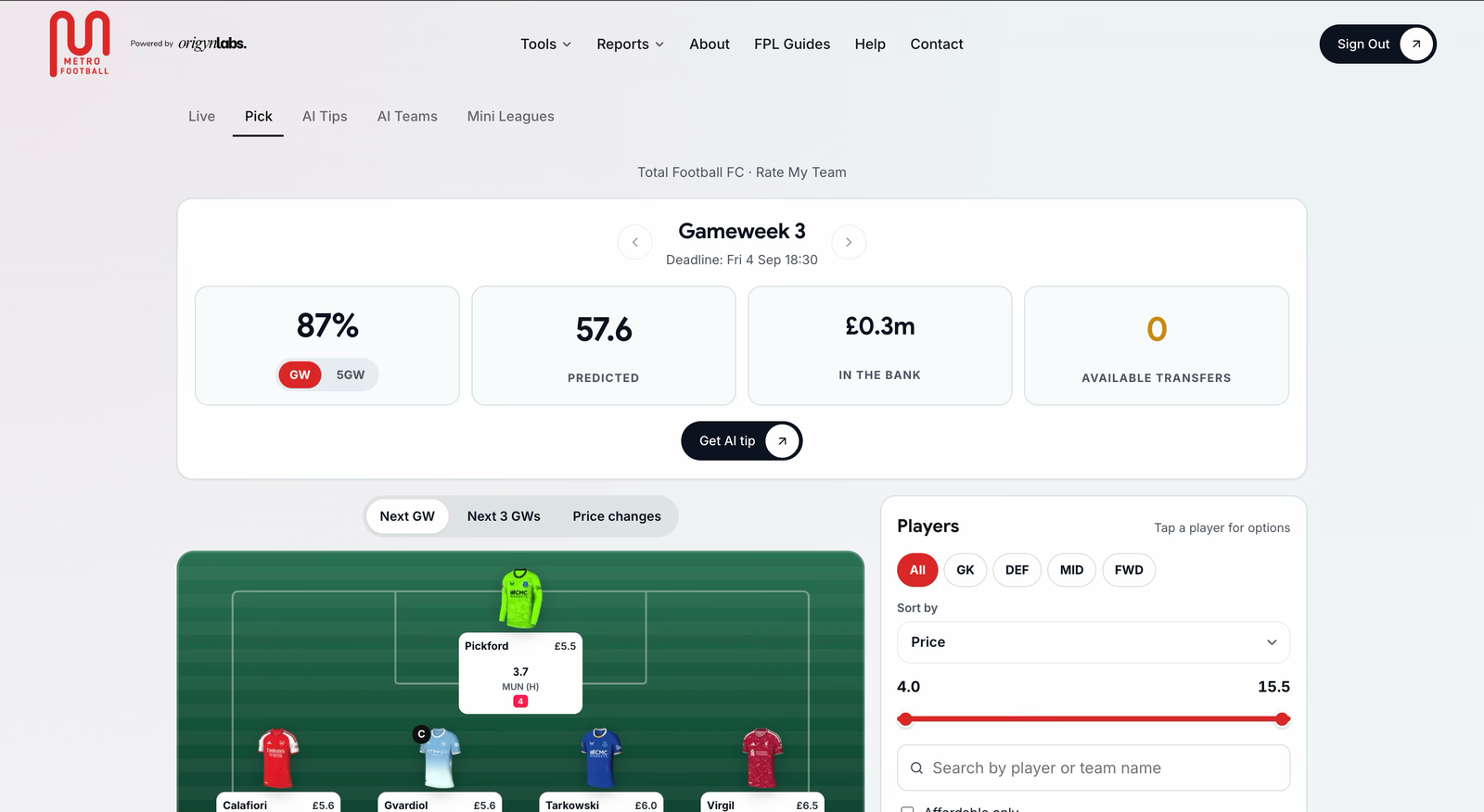
You can have a squad full of popular players and still have important weaknesses.
Perhaps your bench is too weak. Maybe one of your defenders has a poor fixture run. You might also be unsure whether your captain is the right choice for the next Gameweek.
That is why it helps to check your team before making a transfer or setting your line-up.
If you have searched for rate my FPL team, FPL team rater, rate my fantasy Premier League team or FPL team rating tool, you are probably looking for the same answer:
> Is my squad in a good position for the next Gameweek?
Metro Football’s Rate My Team tool helps you find out. It evaluates your squad, highlights weaknesses and ranks your strongest captain options. You get a clear starting point before you make your next decision.
What does a good FPL team look like?
A good team is not simply the one with the highest total points.
Your squad also needs to work for the fixtures ahead. You need players who are likely to start, a sensible bench and a captain with a strong opportunity to score.
A useful squad check looks at:
- Your starting XI
- Bench strength and order
- Fixture difficulty
- Player availability
- Squad balance
- Captain and vice-captain choices
- Potential weaknesses before the deadline
This matters even more in private mini leagues. Your rivals may not be far ahead. One good captain pick or one well-timed transfer can change your position.
A rating is not a promise of points. Football remains unpredictable. Instead, it gives you a clearer view of your decisions and helps you avoid simple mistakes.

How to check my FPL team in five minutes
You do not need to spend your whole evening comparing every player in the game. A short, repeatable check can tell you where to focus.
Minute one: Load your squad
Start by signing in to Metro Football and linking your FPL team.
You only need your FPL team ID. We do not ask for your FPL password. The team ID appears in the URL when you open your squad in the official FPL game.
If you need help, the Metro Football Help Centre explains how to find and link your team.
Once your squad is connected, Rate My Team can review the players you own, your budget and your current team structure.
Minute two: Check your squad structure
Look at the shape of your team before thinking about transfers.
Ask yourself:
- Do I have enough reliable starters?
- Is too much money sitting on my bench?
- Do I have cover in each position?
- Am I relying on several rotation risks?
- Are too many players facing difficult fixtures?
- Is my formation suitable for the Gameweek?
You do not need to change everything because one part of your squad looks less attractive. The aim is to find the biggest weakness first.
The Metro Football FPL squad checker helps by showing where your team needs attention. This is more useful than looking at a single player in isolation.
Minute three: Review your captain options
Your captain can make a major difference because their points are doubled.
Choosing the most expensive player is not always the right answer. You should also consider:
- The quality of the upcoming fixture
- The player’s expected minutes
- Recent form
- Attacking involvement
- Whether the player carries an injury or rotation concern
Rate My Team ranks your strongest captain options for the next Gameweek. It gives you a short list to consider instead of making the decision from memory.
You can then choose your captain and vice-captain with more confidence.
The tool does not decide your team for you. It shows the options and explains where the strongest opportunity may be.
Minute four: Find the weak spots
A squad can look fine on the surface while still carrying one or two problems.
Common weak spots include:
- A defender with several difficult fixtures
- A midfielder who may not start
- A forward with poor recent involvement
- A high-value bench player who rarely enters your XI
- A player you bought several Gameweeks ago but no longer need
- A weak vice-captain in case your captain does not play
The point of a team rating is not to criticise every selection. It is to help you separate urgent problems from small imperfections.
When Rate My Team identifies a weakness, use it as a prompt. Check the player’s fixtures, availability and expected role before deciding what to do next.
Minute five: Decide whether you need a change
You may find that your team is already in good shape. In that case, saving your transfer could be the best move.
If you do need to make a change, start with the position that offers the clearest improvement.
The Metro Football Transfer Planner lets you compare your team before and after a proposed transfer. You can test a move before confirming it and see whether the change improves your squad for the coming Gameweeks.
This can help you avoid making a transfer simply because a player scored well last week.
What does the FPL team rating mean?
Different tools use different scoring methods. You should not compare a number from one FPL team rater directly with a number from another service.
The more important question is:
> What is the rating telling me about my team?
A useful rating should help you understand:
- Which areas of your squad are strongest
- Which players or positions need attention
- Whether your captain choice is sensible
- How well your team fits the upcoming fixtures
- Whether your bench can cover a missed start
- What single change could improve your team most
A lower rating does not mean your season is over. It usually means you have a few decisions to review. A high rating does not guarantee a big Gameweek either.
Use the rating as guidance, not as a prediction of exactly how many points you will score.
Why use a team analysis tool for mini leagues?
When you play in a private mini league, your decisions are often about more than the overall FPL rankings.
You may want to:
- Protect a lead over a friend
- Catch a colleague above you
- Decide whether to choose a safer captain
- Find a useful differential
- Avoid falling further behind after a difficult Gameweek
A good FPL team analysis tool helps you prepare for these decisions without opening several websites.
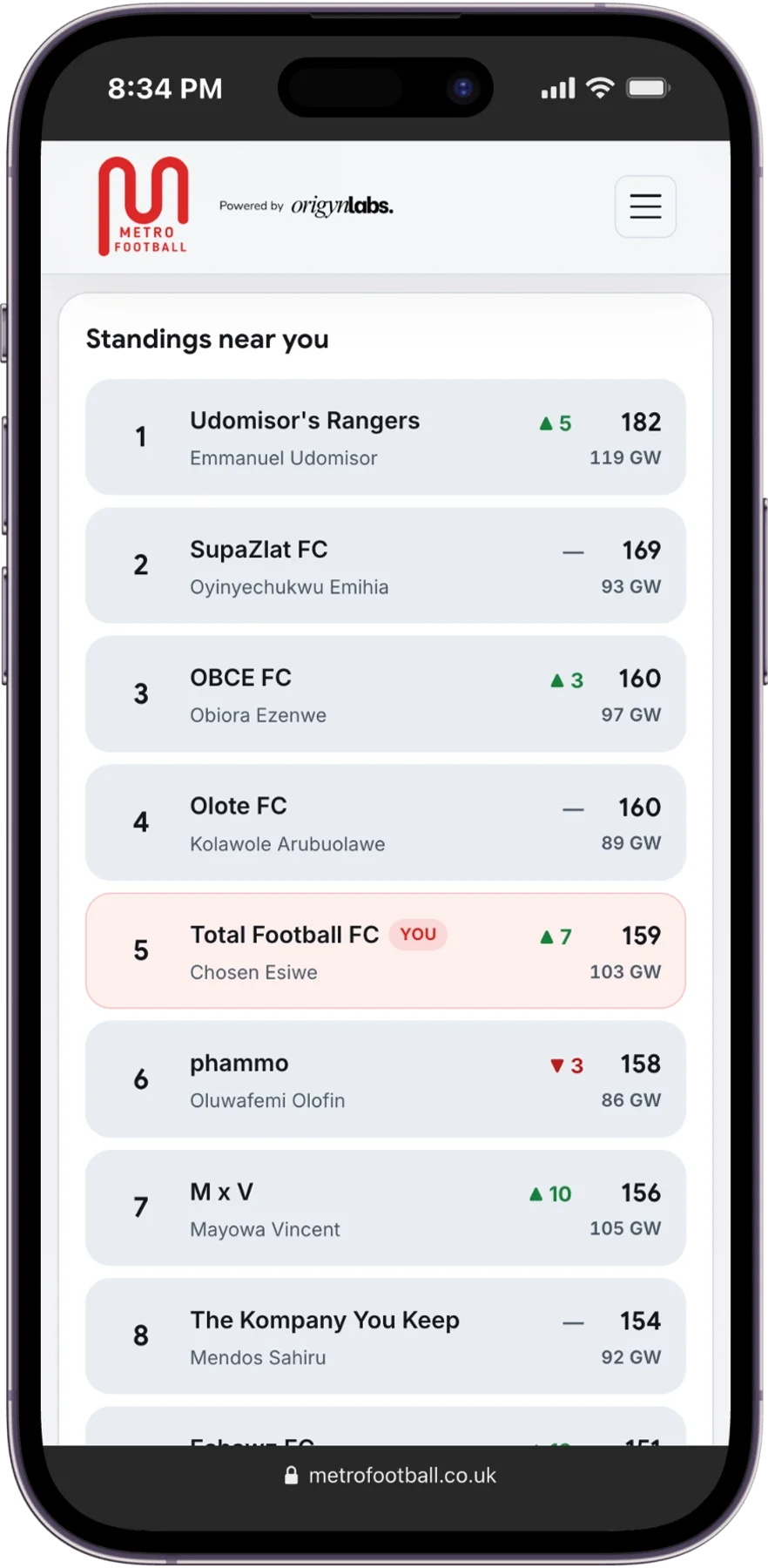
Metro Football also includes a Mini League Tracker. The free plan lets you track one mini league. Premium supports unlimited mini leagues and rival alerts.
Rate My Team focuses on your squad. Mini League Tracker shows what is happening around you. Together, they give you a better view of both sides of the competition.
When should you rate your FPL team?
The best time is before you make your final Gameweek decisions.
Many managers check their squad:
- After the previous Gameweek ends
- When new injury news appears
- Before making a transfer
- Before choosing a captain
- On the morning of the deadline
- After making several changes to the squad
You do not need to use the tool constantly. A quick check before the deadline can help you spot a player you forgot about or a captain option you had not considered.
The data can also change during the week. New injury information, team news and fixture developments may affect the picture. Metro Football updates its tools as new FPL data becomes available, but no model can remove uncertainty from football.

Rate My Team for beginners and experienced managers
You do not need to be an expert to use Rate My Team.
If you are new to FPL, it can help you understand the basic questions to ask about your squad:
- Who should I start?
- Who should I bench?
- Who should I captain?
- Which position needs improving?
- Should I make a transfer or wait?
If you are an experienced manager, it can act as a second opinion. You may already have a transfer in mind, but the tool can help you check whether it improves your team structure and short-term outlook.
It is especially useful when you are tired of switching between fixture tables, player statistics and team news pages. We bring the key information together and show the next decision more clearly.
Start your five-minute squad check
You do not need to rebuild your squad every week. Start by checking what you already have.
Create a free Metro Football account, link your FPL team and try Rate My Team before the next deadline. It will score your squad, identify weaknesses and rank your best captain options.
When you are ready, Premium adds deeper personal tools, including transfer planning and AI transfer recommendations. It costs £4 per month on the monthly plan. If you do not win your main mini league by the end of the season, Metro Football refunds what you paid for Premium, subject to the promise terms.
Use the free plan first. See whether the squad check helps you make decisions with less uncertainty, then upgrade when you are ready.
Frequently asked questions
How does the Rate My Team tool work?
Metro Football reads your linked squad, reviews its structure and fixtures, identifies weaknesses and ranks your strongest captain options for the next Gameweek.
Can I rate my FPL team without sharing my password?
Yes. You link your team using your FPL team ID. We never ask for your FPL password.
Is Rate My Team suitable for beginners?
Yes. The tool explains what needs attention in simple terms. You do not need advanced FPL knowledge to start using it.
Does a team rating guarantee points?
No. The rating supports your decision-making, but it cannot predict every match, goal, assist or rotation decision.
What should I do after checking my team?
Start with the biggest weakness. Review the suggested captain options, then test any possible transfer with the Transfer Planner before confirming it.